jcGE News
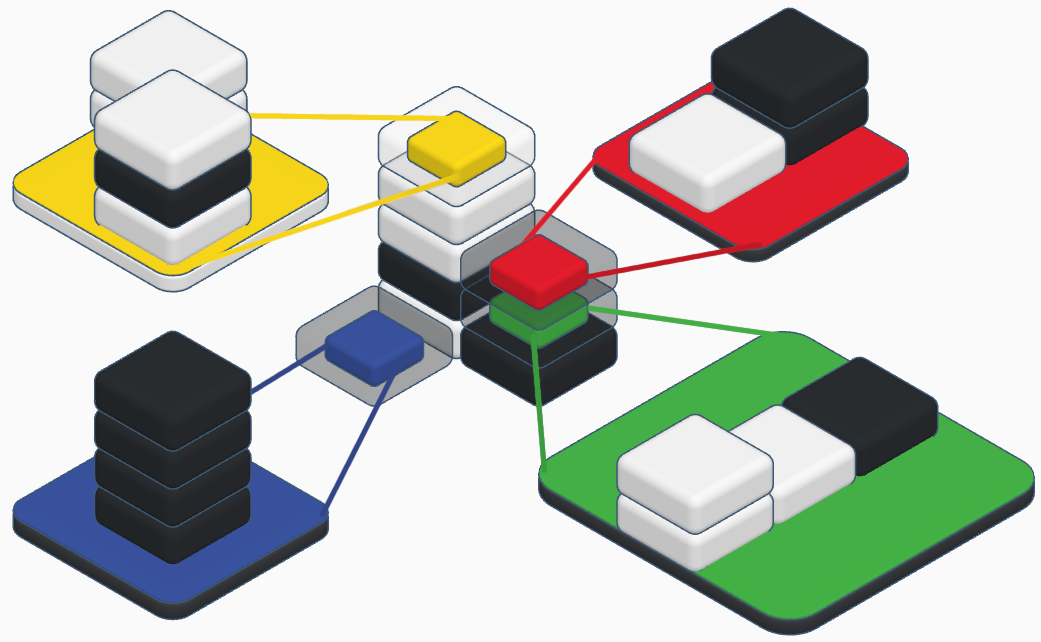
About a year ago I started work on a new 3D game engine, while originally it was just foray into WPF, it turned into using OpenGL and C# using OpenTK. Eventually this turned into a dead end as I had too high ambitions. A year later (really more like 15 years later), I finally have come up with a more reasonable game plan to create an iterative approach.
Following id software's technology jumps starting with Wolfenstein 3D and hopefully one day hit Quake III level of tech.
So the initial features will be:
- 90' Walls, Floors and Ceilings
- Clipping
- Texture Mapping with MIP-Mapping Support
- OpenGL Rendering with SDL for Window Management
- IRIX and Windows Ports
I started work on the base level editor tonight:
MIPS vs AMD Floating Point Performance
Below are some interesting results of the floating point performance differences between MIPS and AMD cpus.
The biggest thing to note, is the effect Level 2 cache has on Floating Point performance.
The 4mb Level 2 cache in the R16000, clearly helps to compensate for the massive difference in clock speed. Nearly a 1 to 1 relationship between a the 6x3.2ghz Phenom II and the 4x800 MIPS R16k.
So bottom line, Level 2 cache makes up for megahertz almost by a factor of 4 in these cases. It's a shame the fastest MIPS R16000 only ran at 1ghz and is extremely rare.
More benchmarking later this week...
Expanded MIPS vs AMD Integer Performance Comparison
I was able to add several more machines to the comparison with the help of a friend over at Nekochan.
Very interesting how MIPS scales and how much of a difference 100mhz and double the Level 2 cache makes an effect on speed.
jcBench 0.2 performance numbers and analysis (Integer performance across the board for AMD vs MIPS)
Just finished getting the features for jcBench 0.2 completed. The big addition is the separate test of integer and floating point numbers. The reason for the addition of this test is that I heard years ago that the size of Level 2 cache directly affected performance of Floating Point operations. You would always hear of the RISC cpus having several MegaBytes of cache, while my first 1ghz Athlon (Thunderbird), December 2000 only had 256kb. As I get older, I get more and more scrupulous over things I hear now or had heard in the past thus the need for me to prove to myself one or the other.
I'm still working on going back and re-running the floating point tests so that will come later today, but here are the integer performance results. Note the y-axis is the number of seconds taken to complete the test, so lower is better.
Kind of a wide range of CPUs, ranging from a netbook cpu in the C-50, to a mobile cpu in the P920 to desktops cpus. The differences based on my current findings vary much more greatly with floating point operations.
A key things I got from this data:
- Single Threaded, across the board was ridiculously slow, even with AMD's Turbo Core technology that ramps up a core or two and slows down the unused cores. Another unsettling fact for developers that continue to not write parallel programs.
- The biggest jump was from 1 thread to 2 threads across the board
- MIPS R14000A 600mhz CPU is slightly faster than a C-50 in both single and 2 threaded tests. Finally found a very near equal comparison, I'm wondering with the Turbo Core on the C-60 if it brings it inline.
- numalink really does scale, even over the now not defined as "fast" numalink 3 connection, scaling it across 2 Origin 300s using all 8 cpus really did increase performance (44 seconds versus 12 seconds).
More to come later today with floating point results...
Updated version of jcBench coming soon and TPL/POSIX findings
Just got the initial C port of jcBench completed. Right now there are IRIX 6.5 MIPS IV and Win32 x86 binaries working, I'm hoping to add additional functionality and then merge back in the changes I made to the original 4 platforms. I should note the performance numbers between the 2 will not be comparable. I rewrote the actual benchmarking algorithm to be solely integer based, that's not to say I won't add a floating point, but it made sense after porting the C# code to C. That being said, after finding out a while back on how Task Parallel Library (TPL) really works, my implementation of multi-threading using POSIX, does things a little differently.
Where the TPL starts off with one thread and as it continues processing increases the threads dynamically, my implementation simply takes the number of threads specified via the command line, divides the work (in my case the number of objects) by the number of threads and kicks off the threads from the start. While TPLs implementation is great for work that you don't know if it will really even hit the maximum number of cpus/cores efficiently, for my case it actually hinders performance. I'm now wondering if you can specify from the start how many threads to kick off? If not, Microsoft, maybe add support for that? I've got a couple scenarios I know for instance would benefit from at least 4-8 threads initially, especially for data migration that I prefer to do in C# versus SSIS (call me a control freak).
Back to jcBench, at least with the current algorithm, it appears that a MIPS 600mhz R14000A with 4MB of L2 cache is roughly equivalent to a 1200mhz Phenom II with 512kb L2 cache and 6mb of L3 cache at least in Integer performance. This is based on a couple runs of the new version of jcBench. It'll be interesting to see with numalink if it continues this to 1 to 2 ratio. I'm hoping to see how different generations of AMD cpus compare to the now 10 year old MIPS cpu.
Silicon Graphics Origin 300 numalinked finally!
After waiting about a month in a half, I finally got a numalink cable so I could numalink together two Silicon Graphics Origin 300s. The idea behind numalink is that you can take multiple machines and link them together in a cluster. In my case, I now have a 8 way R14000A 600mhz and 8GB of ram Origin 300.
Like with many things I'm finding with Silicon Graphics machines it was pretty easy to setup. I tried to document it all below.
First off I needed to update the "rack" position of my Slave (2nd) Origin 300:
001c01-L1>brick slot 02 brick slot set to 02 (takes effect on next L1 reboot/power cycle) 001c01-L1>reboot_l1 SGI SN1 L1 Controller Firmware Image B: Rev. 1.44.0, Built 07/17/2006 18:20:38 001c02-L1>
Next I needed to clear the serial based on the error I got:
001c02-L1> Not able to determine correct System Serial Number 001c02 == M2002931 Please use the command 'serial clear' on the brick which has the serial number you do not wish to keep Not able to determine correct System Serial Number 001c16 == M2100250 Please use the command 'serial clear' on the brick which has the serial number you do not wish to keep 001c02-L1>serial clear
Unplugged the power to both and then hooked them up with the numalink cable:
Then plugged both power cables back in and hit power button on both. To my surprise upon starting up IRIX everything worked.
[SPEEDO2]:~ $ hinv -vm
Location: /hw/module/001c01/node
IP45_4CPU Board: barcode MNS886 part 030-1797-001 rev -B
Location: /hw/module/001c01/Ibrick/xtalk/14
IO8 Board: barcode MJX813 part 030-1673-003 rev -F
Location: /hw/module/001c01/Ibrick/xtalk/15
IO8 Board: barcode MJX813 part 030-1673-003 rev -F
Location: /hw/module/001c02/node
IP45_4CPU Board: barcode MNM964 part 030-1797-001 rev -B
Location: /hw/module/001c02/Ibrick/xtalk/14
IO8 Board: barcode MHE546 part 030-1673-003 rev -E
Location: /hw/module/001c02/Ibrick/xtalk/15
IO8 Board: barcode MHE546 part 030-1673-003 rev -E
8 600 MHZ IP35 Processors
CPU: MIPS R14000 Processor Chip Revision: 2.4
FPU: MIPS R14010 Floating Point Chip Revision: 2.4
CPU 0 at Module 001c01/Slot 0/Slice A: 600 Mhz MIPS R14000 Processor Chip (enabled)
Processor revision: 2.4. Scache: Size 4 MB Speed 300 Mhz Tap 0x1a
CPU 1 at Module 001c01/Slot 0/Slice B: 600 Mhz MIPS R14000 Processor Chip (enabled)
Processor revision: 2.4. Scache: Size 4 MB Speed 300 Mhz Tap 0x1a
CPU 2 at Module 001c01/Slot 0/Slice C: 600 Mhz MIPS R14000 Processor Chip (enabled)
Processor revision: 2.4. Scache: Size 4 MB Speed 300 Mhz Tap 0x1a
CPU 3 at Module 001c01/Slot 0/Slice D: 600 Mhz MIPS R14000 Processor Chip (enabled)
Processor revision: 2.4. Scache: Size 4 MB Speed 300 Mhz Tap 0x1a
CPU 4 at Module 001c02/Slot 0/Slice A: 600 Mhz MIPS R14000 Processor Chip (enabled)
Processor revision: 2.4. Scache: Size 4 MB Speed 300 Mhz Tap 0xa
CPU 5 at Module 001c02/Slot 0/Slice B: 600 Mhz MIPS R14000 Processor Chip (enabled)
Processor revision: 2.4. Scache: Size 4 MB Speed 300 Mhz Tap 0xa
CPU 6 at Module 001c02/Slot 0/Slice C: 600 Mhz MIPS R14000 Processor Chip (enabled)
Processor revision: 2.4. Scache: Size 4 MB Speed 300 Mhz Tap 0xa
CPU 7 at Module 001c02/Slot 0/Slice D: 600 Mhz MIPS R14000 Processor Chip (enabled)
Processor revision: 2.4. Scache: Size 4 MB Speed 300 Mhz Tap 0xa
Main memory size: 8192 Mbytes
Instruction cache size: 32 Kbytes
Data cache size: 32 Kbytes
Secondary unified instruction/data cache size: 4 Mbytes
Memory at Module 001c01/Slot 0: 4096 MB (enabled)
Bank 0 contains 1024 MB (Premium) DIMMS (enabled)
Bank 1 contains 1024 MB (Premium) DIMMS (enabled)
Bank 2 contains 1024 MB (Premium) DIMMS (enabled)
Bank 3 contains 1024 MB (Premium) DIMMS (enabled)
Memory at Module 001c02/Slot 0: 4096 MB (enabled)
Bank 0 contains 1024 MB (Premium) DIMMS (enabled)
Bank 1 contains 1024 MB (Premium) DIMMS (enabled)
Bank 2 contains 1024 MB (Premium) DIMMS (enabled)
Bank 3 contains 1024 MB (Premium) DIMMS (enabled)
Integral SCSI controller 8: Version Fibre Channel LS949X Port 0
Integral SCSI controller 9: Version Fibre Channel LS949X Port 1
Integral SCSI controller 10: Version QL12160, low voltage differential
Integral SCSI controller 11: Version QL12160, low voltage differential
Integral SCSI controller 0: Version QL12160, low voltage differential
Disk drive: unit 1 on SCSI controller 0 (unit 1)
Integral SCSI controller 1: Version QL12160, low voltage differential
Integral SCSI controller 12: Version QL12160, low voltage differential
Integral SCSI controller 13: Version QL12160, low voltage differential
IOC3/IOC4 serial port: tty5
IOC3/IOC4 serial port: tty6
IOC3/IOC4 serial port: tty7
IOC3/IOC4 serial port: tty8
Gigabit Ethernet: eg1, module 001c01, pci_bus 2, pci_slot 2, firmware version 0.0.0
Gigabit Ethernet: eg2, module 001c02, pci_bus 2, pci_slot 1, firmware version 0.0.0
Integral Fast Ethernet: ef0, version 1, module 001c01, pci 4
Fast Ethernet: ef1, version 1, module 001c02, pci 4
PCI Adapter ID (vendor 0x1000, device 0x0640) PCI slot 1
PCI Adapter ID (vendor 0x10a9, device 0x0009) PCI slot 2
PCI Adapter ID (vendor 0x10a9, device 0x0009) PCI slot 1
PCI Adapter ID (vendor 0x1077, device 0x1216) PCI slot 2
PCI Adapter ID (vendor 0x1077, device 0x1216) PCI slot 1
PCI Adapter ID (vendor 0x10a9, device 0x0003) PCI slot 4
PCI Adapter ID (vendor 0x11c1, device 0x5802) PCI slot 5
PCI Adapter ID (vendor 0x1077, device 0x1216) PCI slot 1
PCI Adapter ID (vendor 0x10a9, device 0x0003) PCI slot 4
PCI Adapter ID (vendor 0x11c1, device 0x5802) PCI slot 5
IOC3/IOC4 external interrupts: 1
IOC3/IOC4 external interrupts: 2
HUB in Module 001c01/Slot 0: Revision 2 Speed 200.00 Mhz (enabled)
HUB in Module 001c02/Slot 0: Revision 2 Speed 200.00 Mhz (enabled)
IP35prom in Module 001c01/Slot n0: Revision 6.124
IP35prom in Module 001c02/Slot n0: Revision 6.210
USB controller: type OHCI
Best way to aggregate strings into a delineated string in C#?
Even in 2012, I find myself exporting large quantities of data for reports or other needs that need additional aggregation or manipulation in C# that doesn't make sense to do in SQL.
You've probably done something like this in your code since your C or C++ days:
string tmpStr = String.Empty;
foreach (contact c in contacts) {
tmpStr += c.FirstName + " " + c.LastName + ",";
}
return tmpStr;
And most likely doing some manipulation otherwise it would probably make more sense to simply concatenate the string in your SQL Query itself.
After thinking about it some more, I considered the following code instead:
return string.Join(",", contacts.Select(a => a.FirstName + " " + a.LastName));
Simple, clean and faster?
On 10,000 Contact Entity Objects (averaged against 3 test runs):
Traditional Method - 1.4050804 seconds
Newer Method - 0.0270016 seconds
About 50 times faster to do the newer method, what about with an even larger dataset of 100,000?
Traditional Method - 151.0996424 seconds
Newer Method - 0.09200503 seconds
Nearly 1700 times faster to do the newer method, but now what about a smaller set of 1000?
Traditional Method - 0.0410024 seconds
Newer Method - 0.0160009 seconds
About 2 times faster.
In visual terms:
This is far from a conclusive, in-depth test. But for larger data sets or in a high traffic/high demand (like a WCF Call that returns a delineated String for instance), string.Join should be used instead. That being said though, the data should be formatted properly ahead of time and any possible error (null values etc) should be considered a precondition to using string.Join.
For me, it really got my mind thinking about other small blocks of code that I had been stagnantly using over the years that could speed up intensive tasks, especially with the size of a lot of the results I parse through at work.
Another Silicon Graphics Origin 300, but this time with L1 Problems…
Picked up another Silicon Graphics Origin 300 (Dual 600/4gb ram), swapped in my Quad 500 board, replaced the fans and began my fun filled adventure into L1 Land.
Off the bat I was presented with:
Upon hooking up my USB->Null Modem cable I checked the L1 Log:
001?01-L1>log
04/14/12 10:54:46 L1 booting 1.44.0
04/14/12 10:54:49 ** fixing invalid SSN value
04/14/12 10:54:49 ** fixing BSN mismatch
04/14/12 11:13:53 L1 booting 1.44.0
So, good it auto-fixed the invalid SSN and BSN mismatch.
001?01-L1>brick
rack: 001, slot: 01, partition: none, type: Unknown [2MB flash], serial:MRH006, source: NVRAM
Good again, it sees the brick, but doesn't know what it is.
Then tried:
001?01-L1>brick type C
brick type changed (nvram) (takes effect on next L1 reboot/power cycle)
001?01-L1>reboot_l1
Upon rebooting the L1, still not avail. Going to have to get creative with this problem...
Silicon Graphics Origin 300 Gigabit and Dual 4gb Fibre Channel Additions
Kind of scratching my head as to why Silicon Graphics didn't include gigabit on their IO8 PCI-X card that comes with an Origin 300. I guess maybe back in 2000-2001, the demand for gigabit Ethernet wasn't enough? Personally, I had just upgraded to Fast Ethernet (100mbit) if only half duplex on a Hub.
Scored an official Silicon Graphics Gigabit card off eBay for next to nothing, installed it with no problems and upon rebooting IRIX recognized it and am now only using the gigabit connection to the rest of my network.
Next up was another great find on eBay for ~$30 I got a Dual Channel 4gb LSI Logic PCI-X card that has built in IRIX support. Just waiting on a PCI Express 4gb card to put into my SAN.
Does Task Parallel Library Syntax affect performance?
I had been wondering what the effect of syntax would have on performance. Thinking the interpreter might handle things differently depending on the usage, I wanted to test my theory.
Using .NET 4.5 with a Win32 Console Application project type, I wrote a little application doing a couple trigonometric manipulations on 1 Billion Double variables.
For those that are not aware using the Task Parallel Library you have 3 syntaxes to loop through objects:
Option #1 - Code within the loop's body
Parallel.ForEach(generateList(numberObjects), item => {
double tmp = (Math.Tan(item) * Math.Cos(item) * Math.Sin(item)) * Math.Exp(item);
tmp *= Math.Log(item);
});
Option #2 - Calling a function within a loop's body
Parallel.ForEach(generateList(numberObjects), item => {
compute(item);
});
Option #3 - Calling a function inline
Parallel.ForEach(generateList(numberObjects), item => compute(item));
That being said, here are the benchmarks for the 3 syntaxes run 3 times:
Option #1 4.0716071 seconds 3.9156058 seconds 4.009207 seconds
Option #2 4.0376657 seconds 4.0716071 seconds 3.9936069 seconds
Option #3 4.040407 seconds 4.3836076 seconds 4.3056075 seconds
Unfortunately nothing conclusive, so I figured make the operation more complex.
That being said, here are the benchmarks for the 3 syntaxes run 2 times:
Option #1 5.4444095 seconds 5.7313278 seconds
Option #2 5.5848097 seconds 5.5633182 seconds
Option #3 5.8793363 seconds 5.6793248 seconds
Still nothing obvious, maybe there really isn't a difference?
Details on how the Task Parallel Library actually works…
Found this blog post from 3/14/2012 by Stephen Toub on MSDN, which answers a lot of questions I had and it was nice to have validated an approach I was considering earlier:
Parallel.For doesn’t just queue MaxDegreeOfParallelism tasks and block waiting for them all to complete; that would be a viable implementation if we could assume that the parallel loop is the only thing doing work on the box, but we can’t assume that, in part because of the question that spawned this blog post. Instead, Parallel.For begins by creating just one task. When that task is executed, it’ll first queue a replica of itself, and will then enlist in the processing of the loop; at this point, it’s the only task processing the loop. The loop will be processed serially until the underlying scheduler decides to spare a thread to process the queued replica. At that point, the replica task will be executed: it’ll first queue a replica of itself, and will then enlist in the processing of the loop.
So based on that response, at least in the current implementation of the Task Parallel Library in .NET 4.x, the approach is to slowly created parallel threads as the resources allow for and fork off new threads as soon and as many possible.
TPL versus POSIX and what TPL really does for you…
Diving into Multi-Threading the last couple nights, but not in C# like I had previously. Instead with C. Long ago, I had played with SDL's Built-In Threading when I was working on the Infinity Project. Back then, I had just gotten a Dual Athlon-XP Mobile (Barton) motherboard, so it was my first chance to play with multi-cpu programming.
Fast forward 7 years, my primary desktop has 6 cores and most cell phones have at least 2 CPUs. Everything I've written this year has been with multi-threading in mind whether it is an ASP.NET Web Application, Windows Communication Foundation Web Service or Windows Forms Application. Continuing my quest into "going back to the basics" from last weekend, I chose my next quest would be to dive back into C, and attempt to port jcBench to Silicon Graphics' IRIX 64bit MIPS IV platform (it was on the original list of platforms).
The first major hurdle, was programming C like C#. Not having classes, the keyword "new", syntax for certain things being completely different (structs for instance), having to initialize arrays with malloc only to remember after getting segmentation faults that by doing so will overload the heap (the list goes on). I've gotten "lazy" with my almost exclusive use of C# it seems, declaring an "array" like:
ConcurrentQueue<SomeObject> cqObjects = new ConcurrentQueue<SomeObject>();
After the "reintroduction" to C, I started to map out what would be necessary to make an equivalent approach to the Task Parallel Library, not necessarily the syntax, but how it handled nearly all of the work for you.
Doing something like (note you don't need to assign the return value from the Entity Model, it could be simply put in the first argument of Parallel.ForEach, I just kept it there for the example):
List<SomeEntityObject> lObjects = someEntity.getObjectsSP().ToList(); // To ensure there would be no lazy-loading, use the ToList method
ConcurrentQueue<SomeGenericObject> cqGenericObjects = new ConcurrentQueue<SomeGenericObject>();
Parallel.ForEach(lObjects, result => {
if (result.SomeProperty > 1) {
cqGenericObjects.Enqueue(new SomeGenericObject(result));
}
});
A few things off the bat you'd have to "port":
- Concurrent Object Collections to support modification of collections in a thread safe manner
- Iteratively knowing and handling how cores/cpus are available, and constantly allocating new threads as threads complete (ie 6 cores, 1200 tasks, kick off at least 6 threads and handle when those threads complete and "always" maintain a 6 thread count
The later I can imagine is going to be decent sized task in itself as it will involve platform specific system calls to determine the CPU count, breaking the task down dynamically and then managing all of the threads.
At first thought the easiest solution might simply be:
- Get number of CPUs/Cores, n
- Divide number of "tasks" by the number cores and allocate those tasks for each core, thus only kicking off n threads
- When all tasks complete resume normal application flow
The problem with that is (or at least one of them), is if the actual data for certain objects is considerably more complex then others, you could have 1 or more CPUs finished before the others, which would be wasteful. You could I guess infer based on a sampling of data, maybe kick off 1 thread to "analyze" the data from various indexes in the passed in array and calculate the average time taken to complete, then anticipate the variation of task completion time to more evenly space out tasks. Also taking into account current cpu utilization, as many operating systems use 1 CPU affinity for Operating System tasks, so giving CPU 1 (or the CPU with Operating System usage) to begin with less tasks might make more sense to truly optimize the threading "manager".
Hopefully I can dig up some additional information on how TPL allocates their threads to possible give a 3rd alternative, since I've noticed it handles larger tasks very well across multiple threads.
Definitely will post back with my findings....
See MIPS Run…
Just started reading See MIPS Run, which is an introduction to MIPS Assembly programming. I had done Assembly Programming for x86 years ago at a community college and found it to be the best class I took in my entire college curriculum. Getting yourself into the mindset of each line in a higher level language being the equivalent to several lines of assembly, really helped me be better at writing efficient code.
Something like this in C++:
int x = 0;
x *= 5;
Translates to in assembly:
.data x: .word 0 .text lw $t0, x mul $t1, $t0, 5 sw $t1, x
Another interesting aspect that I really hadn't thought about in years is the RISC vs CISC debate. Largely because I hadn't been around RISC cpus until recently with my Silicon Graphics O2s, Octanes and Origin 300s.
From the opening chapter:
Intel is faced with much the same problem: The appeal of its CPUs relies on the customer being able to go on running all that old software. But with a new CPU you get to define the instruction set, and you can define many of the awkward customers out of existence.
So true on so many levels. I am excited to keep reading, definitely the most thought provoking programming book I've read recently.